 Comparison
Lifeway Worship Alternative for Churches: 2026 Guide
Table of Contents
- Why Churches Are Looking for a Lifeway Worship Alternative
- Quick Comparison: Worship Platforms at a Glance
- Best Church Worship Planning Software for Team Coordination
- Presentation Software That Keeps Lyrics Accessible
- How to Increase Congregational Singing Beyond the Song Library
- Affordable Worship Resources for Small Churches on Tight Budgets
- Licensing, Streaming Rights, and Copyright Compliance
- Conclusion: Choosing Your Lifeway Worship Alternative
- Frequently Asked Questions
Last Updated: October 7, 2026
Why Churches Are Looking for a Lifeway Worship Alternative
Churches searching for a lifeway worship alternative are usually not chasing new technology. They are chasing participation.
A song library answers "what will we sing?" A resource that serves the whole congregation answers a harder question: "who will sing it with us?"
The options below range from free open-source presentation tools to full planning platforms, compared on coordination, lyric presentation, licensing support, and cost.
Quick Comparison: Worship Platforms at a Glance
| Platform | Starting Price | Best For | Free Tier |
|---|---|---|---|
| Planning Center Services | $14/month | Team scheduling and service flow | Yes |
| Faithlife Proclaim | $210/year | Sermon-to-slide integration | No |
| ProPresenter | $29/month | Complex production and streaming | No |
| OpenSong | Free | Small churches, older hardware | Yes |
Two patterns stand out. First, the affordable end of the market is genuinely capable now; a small church with a tight budget is not stuck. Second, none of these tools alone will increase congregational singing. They remove friction. Participation comes from how you plan, teach, and lead.
Best Church Worship Planning Software for Team Coordination
The honest limitation is the learning curve: non-technical volunteers sometimes need a patient walkthrough the first month. Budget for one training session and it mostly disappears.
Faithlife Proclaim suits a different team.
For churches without a dedicated media volunteer, OpenSong remains the quiet workhorse. It is free, open-source, and runs on hardware most churches already own, handling lyric projection, chord transposition, and simple layouts.
How These Tools Actually Integrate With Your Existing Setup
Most comparison articles stop at the feature list.
Step 1: Choose one source of truth for the service order. Pick either your planning tool or your presentation software, not both.
Step 3: Route the stage display and the house screen separately. Bands need chord charts, click tracks, and lyric cues; the congregation needs clean, readable lyrics.
Step 4: Test the handoff before Sunday. Run a full rehearsal with the volunteers who will operate the tools.
Matching the Tool to Your Church Size and Volunteer Skill
The right planning tool depends less on budget than on how many technical volunteers you can reliably staff.
- Small church (under 100), one rotating tech volunteer: OpenSong for projection plus Planning Center's free tier for scheduling. Keep the stack small. Every additional tool is another thing one volunteer has to learn.
- Mid-size church (100-400), two to three tech volunteers: Planning Center Services for planning and scheduling, plus a presentation tool the operator already knows. This is the sweet spot where paid planning software pays for itself in saved coordinator hours.
- Large or multi-campus church (400+), dedicated media team: Planning Center Services at a higher tier, ProPresenter for production, and Proclaim if the preaching team already lives in Logos. At this size, integration matters more than any single feature.
The pattern across all three: match the tool to the volunteer capacity you actually have. A powerful platform nobody can run is worse than a simple one that works every week.
What Switching Platforms Does to Your Licensing and CCLI Coverage
This is the question most comparison guides skip, and it is the one that creates real risk.
A few practical points:
- If your new tool auto-imports lyrics from SongSelect, confirm the import is covered under your existing license. In most cases it is, because the reproduction happens under your church's license, not the software's.
- If your new tool stores lyrics in the cloud and shares them with volunteers on personal devices, that is still reproduction and still requires a current license.
- If you switch to a platform with streaming or recording features, do not assume your CCLI license covers those uses. Streaming and recording typically require separate permissions.
Run a short audit any time you change platforms: list every place lyrics now appear (screens, apps, printed charts, volunteer devices) and confirm each sits under a current license.
For churches weighing a lifeway worship alternative specifically for its licensing coverage, compare the license itself, not the song catalog.
Presentation Software That Keeps Lyrics Accessible
ProPresenter is the choice for churches with complex production needs. Multi-screen output, stage displays for the band, and a video engine built for live streaming put it in a different category from lyric-only tools. If your services involve cameras, countdowns, and multiple display zones, it handles all of it without workarounds.
The cost is hardware. ProPresenter asks more of your computer than the other options, and older machines will struggle. Check your specs before committing.
A Side-by-Side Look at the Main Presentation Options
Most articles list tools one at a time. A direct comparison is more useful when you are choosing. Here is how the leading options stack up on the factors that affect a church's Sunday morning.
| Tool | Typical Cost | Ease of Use | Integration Strengths | Best Fit |
|---|---|---|---|---|
| ProPresenter | Paid, per-computer license | Moderate to steep | Stage display, streaming, multi-screen, Planning Center import | Churches with cameras and a dedicated media volunteer |
| Faithlife Proclaim | Subscription | Easy for Logos users | Sermon-to-slide sync, multi-campus cloud sharing | Preaching-driven services, multi-site churches |
| OpenSong | Free | Easy once set up | Lyric projection, chord transposition, basic layouts | Small churches, older hardware, tight budgets |
| Planning Center Services (presentation add-on) | Bundled with planning tiers | Easy for existing Planning Center users | Service order to slides, volunteer scheduling in one place | Churches already using Planning Center for planning |
Two patterns stand out. First, the affordable end of the market is genuinely capable now; a small church with a tight budget is not stuck.
Accessibility Settings That Cost Nothing
Readable lyrics matter for every member of your congregation, including older members, people with low vision, and anyone still learning English. A few practical settings help:
- Use high-contrast text on solid backgrounds, not busy images
- Keep two to three lines on screen at most
- Avoid all-caps fonts, which are harder to read at distance
- Test from the back row, not the front
- Match font size to the room, not the monitor in the booth
None of these settings cost anything. They simply require someone to check.
Streaming and Licensing: The Step Most Churches Miss
Presentation software and streaming rights are two separate decisions, and confusing them creates legal exposure. A tool that can stream does not grant permission to stream copyrighted music. That permission comes from a separate license.
Before you stream a service, confirm three things:
- Your church holds a current license that covers the specific songs being performed.
- Your streaming platform's terms allow the content you are broadcasting.
- Your presentation software is configured to display only what you have rights to show (for example, not projecting copyrighted lyrics to an online audience under a license that only covers in-person worship).
Most presentation tools handle the technical side of streaming well. The licensing side is on the church, not the software. A short annual audit, documented and dated, is the simplest way to stay compliant as your setup changes.
U.S. Copyright Office guidance on church music and streaming CCLI license information for churches
How to Increase Congregational Singing Beyond the Song Library
Learning how to increase congregational singing starts with admitting that song choice is only one lever. The bigger levers are familiarity, key, and invitation.
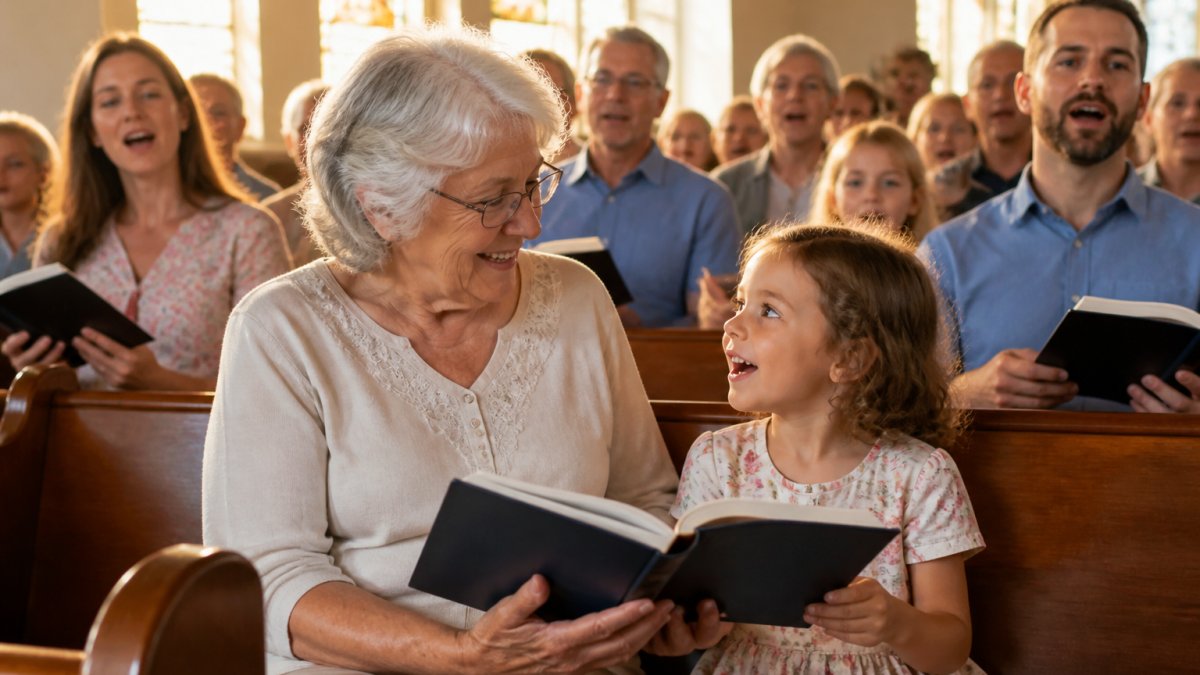
Familiarity: a congregation sings what it knows. Rotating in brand-new material every week guarantees hesitation.
Key matters more than most teams realize. Songs pitched for a soloist's range often sit too high for a room of untrained voices.
Invitation is the third lever, and the one software cannot supply.
Affordable Worship Resources for Small Churches on Tight Budgets
Affordable worship resources for small churches fall into three buckets: free software, free or low-cost song licensing, and free training.
Song licensing is where small churches most often overspend or, worse, under-comply. Most churches need a license to reproduce lyrics and arrangements, and the cost scales with congregation size, which favors smaller churches.
Training is the bucket people forget. Denominational offices, regional worship networks, and experienced volunteers in your own pews offer free coaching no subscription matches.
Licensing, Streaming Rights, and Copyright Compliance
Licensing generates the most anxiety and the least clarity in worship planning.
Copyright compliance for a typical church involves at least three questions. Are you reproducing lyrics or charts for your team and congregation?
Streaming rights are the newest pressure point.
The practical move is an annual audit.
For churches weighing a lifeway worship alternative specifically for its licensing coverage, compare the license itself, not the song catalog.
Conclusion: Choosing Your Lifeway Worship Alternative
The right lifeway worship alternative depends less on the platform than on the problem you are solving. If coordination is the bottleneck, Planning Center Services is the strongest starting point. If production is, ProPresenter earns its cost.
That is the work Let Her Sing! exists to support. Our focus is community-based worship and advocacy for inclusive congregational singing: helping every voice, from the lifelong church musician to the child in the front row, take part in the life of the congregation.
Start with one change this month. Teach a refrain by ear. Lower a song's key. Audit your licenses. Then visit Let Her Sing! to see how our resources can help your congregation sing as one body.
U.S. Copyright Office guidance on church music and streaming
CCLI license information for churches
Frequently Asked Questions
What are the best alternatives to Lifeway Worship for small churches?
Small churches often need tools that are both affordable and simple to run. Planning Center Services starts at $14/month and handles scheduling plus service flow. OpenSong is completely free and works on older hardware. Faithlife Proclaim ($210/year) suits churches that want cloud collaboration. For the deeper goal of getting every voice singing, Let Her Sing! focuses on inclusive congregational engagement rather than just song files. Match the tool to your team size and tech comfort, not to the biggest catalog.
How do I choose a worship planning software for my congregation?
Start by listing who touches the tool weekly: worship leader, volunteers, media team, pastor. If volunteers need mobile access to charts and rehearsal audio, Planning Center Services handles that well. If your priority is sermon-to-slide flow, Faithlife Proclaim syncs with Logos Bible Software. ProPresenter suits churches with dedicated media teams and complex stage displays. Ask three questions: Does it fit our volunteer skill level? Does it integrate with what we already use? Does it help more people participate, not just perform?
Are there free alternatives to paid worship resource subscriptions?
Yes. OpenSong is a free, open-source option for managing lyrics, chords, and slides, and it runs on older computers. Planning Center Services also has a free tier before paid plans begin at $14/month. Free tools cover basic projection and transposition, but they rarely address licensing, streaming rights, or helping a hesitant congregation sing. Budget separately for copyright compliance, and treat free software as a starting point rather than a full music ministry strategy.
How can we improve congregational participation in worship?
Pick songs in singable keys and comfortable ranges, print or project lyrics in large clear type, and let the congregation hear itself rather than only the stage. Introduce unfamiliar songs with a simple chorus first. Include songs from different eras and cultures so more generations recognize something. Resources built around community singing, like Let Her Sing!, treat participation as the goal rather than a side effect. Measure progress by how many voices you hear, not by how polished the band sounds.
Is it better to use a subscription service or purchase individual charts?
Subscriptions make sense when you plan services weekly and need constant access to new arrangements, lead sheets, and multitracks. Buying individual charts works when your rotation is small and stable. Add up your yearly song count and compare it to the subscription cost. Either way, confirm that your license covers projection, printing, and streaming, because those are separate rights. Many churches underestimate streaming rights and only discover the gap after posting a service online.